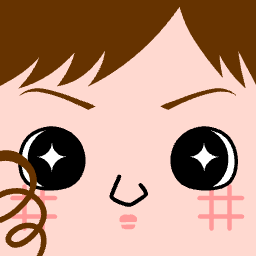


Pixel Art Avatar Icon GeneratorMake Your Icon
Design the perfect retro profile picture with our Pixel Art Avatar Icon Generator. Build a custom character pixel-by-pixel and export in multiple sizes.


Why Use the Pixel Art Avatar Icon Generator?_
Finding a unique profile picture (PFP) that stands out is difficult in a crowded digital world. Creating one yourself is much more fun and rewarding! This generator brings back the golden era of pixel avatar makers from the early web. It is designed specifically to create images that maintain their clarity and charm even when shrunk down to small icon sizes on chat apps, forums, and social feeds.
optimized Multi-Size Export
We understand that different platforms have different requirements. That is why our tool lets you download your character in native resolutions without blurring. Get the classic 48x48 pixel version for that authentic retro game feel, or choose the 96x96 version for sharper visibility on modern retina displays and social media apps.
Granular Customization Control
This is not just a randomizer; it is a full design suite. You have control over every aspect of your avatar. From splitting hairstyles into Bangs and Back Hair for layering depth, to fine-tuning specific facial features like Eyebrows, Cheeks, and facial expressions, you can craft a persona that truly looks like you.
Beloved Chibi Anime Style
This generator features the timeless Chibi art style—characterized by large heads, expressive eyes, and small bodies. This proportion is not just cute; it is functional. It ensures that your character facial expressions remain readable and distinct even when the image is shrunk down to a tiny icon size in a chat window.
Client-Side Privacy Protection
Your privacy is our paramount concern. The Pixel Art Avatar Icon Generator operates entirely within your web browser. When you click SAVE, the image is generated locally on your device using JavaScript. No personal data or images are ever uploaded to or stored on our servers, ensuring complete security.
Applications for Your Pixel Icons
The versatile output of the Pixel Art Avatar Icon Generator makes it an essential tool for gamers, developers, community members, and social media users alike.
How to Create Your Pixel Icon
Creating a professional-looking pixel icon is simple and intuitive with our tab-based interface. Follow these three easy steps:
Step 1: Define the Fundamentals
Start your creation process by establishing the core identity of your character. Select the Body tab to choose your preferred skin tone palette and outfit base. Then, move to the Face tabs to set the fundamental shape of the head and chin structure. This builds the canvas for your unique icon.
Step 2: Customize Style & Expression
This is where you bring your avatar to life. This generator uniquely splits hair into Bangs (front) and Back Hair, allowing for complex layering. Mix and match different styles and colors to create a unique hairstyle. Then, choose eyes, mouth, and eyebrows to define your avatar mood—whether happy, stoic, angry, or surprised.
Step 3: Export Your Icon
Once you are satisfied with your design, look at the export panel on the left. You will see options for different resolutions. Simply click the SAVE button next to the size you need (48x48 for retro uses or 96x96 for modern apps). The optimized PNG file will download instantly to your device, ready to upload.
Generator Features
What makes this the best tool for creating pixel art icons.
Always Free
No premium unlocks required.
Dual Sizes
Export in 48px or 96px resolution.
No Flash
Runs on modern secure technology.
Mobile Ready
Works on iOS and Android browsers.
Randomizer
Generate unique faces instantly.
Private
Images generated locally on your device.
Icon Generator FAQ
Comprehensive answers to everything you need to know about the Pixel Art Avatar Icon Generator.